
We use cookies on this site to help provide the best possible online experience. By using this site you agree to our use of cookies.
Click to view our cookie policy and customize your cookie preferences.
A versatile PDF tool, based on AI-driven OCR technology, making it easier to digitise, retrieve, edit, protect, share, and collaborate on all kinds of documents.
Agreement start: 1 August 2023
Agreement end: 31 July 2026
Subsequent invoice date: 3 months in advance of the licence anniversary date
Institutions may participate at any time during the 3-year period; however, they will be bound by the terms and conditions, including payments for 3 years from their enrolment.
Site licence
Free 30-day trials are available.
This Agreement is open to Institutions of Higher and Further Education and Research Councils in the United Kingdom, to Universities and Colleges of Further Education in the Republic of Ireland, and to Associated Sites.
Other UK organisations aligned with Chest's charitable objectives of supporting education, research bodies and the public sector may ask to participate in the Agreement. Chest will liaise with the Supplier about any such requests.
Licensor: ABBYY UK Ltd, a company registered in England and Wales (company number 6037342), whose registered office is 70 Gracechurch Street, 3rd Floor, London, EC3V 0HR.
The universal PDF tool for students and teachers:
With ABBYY FineReader PDF, teachers, researchers, and students can be significantly more productive and efficient. FineReader PDF addresses the digital transformation of research and classrooms by facilitating work with both paper and digital books, magazines, scientific publications, and other materials.
Educational institutions:
Teachers and lecturers:
Researchers:
Accessibility:
Click on the image below to watch a short demo of what's new in ABBYY FineReader PDF 16:
Click here to see the Product Features Comparison List - Windows v Mac.
Click here to see the ABBYY FineReader PDF Accessibility Compliance Report (VPAT).
Free 30-day trials are available.
Click on the links below to access the following ABBYY FineReader PDF Guides:
There are also a range of video tutorials available.
You can submit a technical support request via the ABBYY Help Center.
Supplier home page: https://www.abbyy.com
FineReader PDF: https://pdf.abbyy.com
New releases, versions and functionality are included.
Download links and serial numbers will be made available to the Licensed Institution after receipt of an Order to Chest.
Click on the image below to watch a recording of the Introduction to the new ABBYY FineReader PDF Chest Agreement webinar, held on 2 November 2023, which covered an overview of the Agreement and the product, a product demo, and the deployment options available for educational institutions:
The associated slide deck can be found by clicking here.
Please note that the free 1-year iOS version mentioned in the webinar is not available through Chest as it does not form part of the contract and would therefore not be covered by the same terms and conditions of use.
Click on the image below to watch a short demo of the key features of ABBYY FineReader PDF:
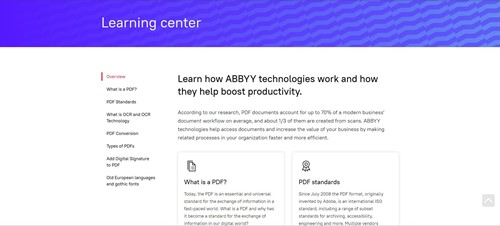
Explore the ABBYY Learning center to answer these questions and more:
Tips, trends and use cases can also be found on the ABBYY FineReader PDF Blog.
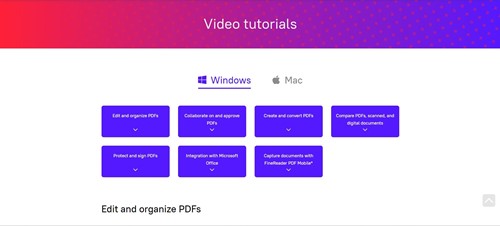
ABBYY has a series of 'How To' videos for both the Windows and Mac versions of ABBYY FineReader PDF:
Additional recorded content can be found on ABBYY's YouTube Channel.
This content is restricted to logged in members.
This content is restricted to logged in members.
Join our mailing list for the latest news, event information and resources