
We use cookies on this site to help provide the best possible online experience. By using this site you agree to our use of cookies.
Click to view our cookie policy and customize your cookie preferences.
MindGenius is a mind mapping application that allows users to capture and visualise ideas and information. Utilising visually connected information and knowledge makes it easier to take correct decisions, plan how best to proceed, and manage resultant actions and resources through to completion.
Agreement start: 1 November 2023
Agreement end: 31 October 2026
Subsequent invoice date: 3 months in advance of the licence anniversary date
Institutions may participate at any time during the 3-year period; however, they will be bound by the terms and conditions, including payments for 3 years from their enrolment to the supported licence.
Site licence
Free 14-day trials are available of MindGenius and MindGenius Online.
This Agreement is open to Institutions of Higher and Further Education, Secondary Schools and Research Councils in the United Kingdom, and to Universities, Colleges of Further Education and Secondary Schools in the Republic of Ireland.
Chest and MindGenius have had a Chest Agreement in place since 2003, with this Agreement taking us through 20 years.
Licensor: MindGenius Ltd, a company registered in Scotland (company number SC312478), whose registered office is Titanium 1, King’s Inch Place, Renfrew, PA4 8WF.
The World of One-Click
These give you more freedom to be creative and express your ideas without the complexity.
Picture Perfect
These new features make your maps presentable and professional.
Happy to Help
MindGenius for Meetings
Click on the image below to find out about the new features in MindGenius Online:

Click here to see the MindGenius VPAT report, highlighting conformance to WCAG regulations.
Free 14-day trials are available of MindGenius and MindGenius Online.
Click on the links below to access:
MindGenius currently provide the following live online training options:
Both the 3-Year Supported Licence and the Perpetual Licence Annual Maintenance have Software Implementation Support Services provided for the full licence term. Without prior arrangement between MindGenius and any Licensed Site there will be no further provision of Software Implementation Support Services at the end of the term.
Support will be provided by MindGenius via a single Technical Contact or his/her Deputy at each institution:
E-mail: support@mindgenius.com
Telephone support is not provided.
Supplier home page: https://www.mindgenius.com
MindGenius (desktop): https://desktop.mindgenius.com
Sites licensed either under the 3-Year Supported Licence or the Perpetual Licence Annual Maintenance are entitled to major product upgrades during the licence term. Sites licensed under the 3-Year Supported Licence must remove/destroy all of the software from their systems at the end of the term (unless a new licence is taken out).
Licensed institutions will have free access to patches, bug-fixes and updates for as long as they are available via the MindGenius website.
Release notes about updates made to MindGenius Online can be found here.
MindGenius will send out download links and licence codes for the Licensed Institution upon receipt of an Order from Chest.
There are two media sets for the latest version of MindGenius - each offer the same software functionality but are suited to different deployment mechanisms. Please note that, under the 3-Year Supported Licence and the Perpetual Licence Annual Maintenance, either media set can be used to deploy to both institutional and personal devices.
Administrators, please see the following links for details of deploying the desktop version and enabling access to the online version of the software:
There is a bulk user upload feature in MindGenius Online which enables administrators to upload a large number of users to their database. You must first ensure that you have the correct number of licences available to add these users into the database; if you need extra licences you should contact MindGenius. Note that, under your Chest licence, there is no limit to how many MindGenius Online licences you can have allocated.
Click on the image below to find out how MindGenius and MindGenius Online can transform your education experience:
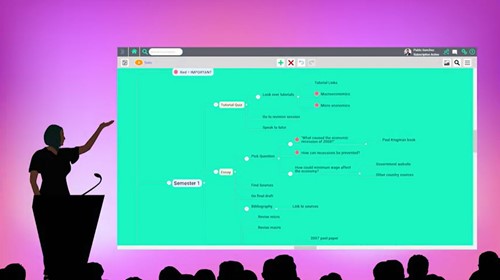
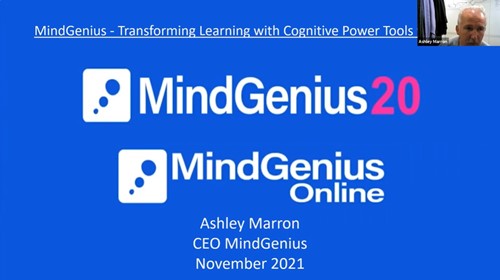
Click on the image below to watch the recording of the education webinar held on 9 November 2021:
Click on the image below to watch the recording of the MindGenius Online component of the Microsoft Collaborative Apps in Microsoft Teams webinar held on 18 May 2023:
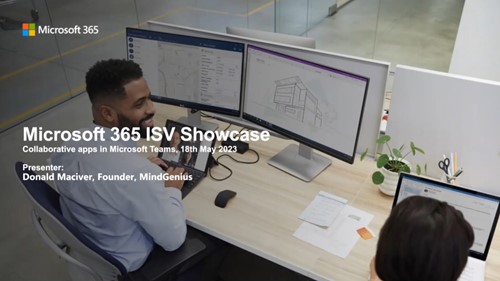
The associated slide deck can be found by clicking here.
Learn more about MindGenius through this range of short videos:
Additional recorded content (including bite-sized tutorials) can be found on the MindGenius YouTube Channel.
Download this resource pack which provides comprehensive information, guidance and help to a wide range of people who are going to provide, support, promote, teach or use MindGenius software within your institution.
For real life examples of how MindGenius is used in colleges and universities to help dyslexic students, encourage group work, set examinations and assist in teaching, see:
Join our mailing list for the latest news, event information and resources