
We use cookies on this site to help provide the best possible online experience. By using this site you agree to our use of cookies.
Click to view our cookie policy and customize your cookie preferences.
Many projects involve multiple researchers working together. Lumivero offer two solutions, NVivo Collaboration Cloud and NVivo Collaboration Server. This Agreement now covers both. Purchase per workspace user, with unlimited use for one year. Requires the new (March 2020) version of NVivo.
Agreement Start: 1 July 2022
Agreement End: 30 June 2027
Subsequent invoice date: Annual licences
Per-user Licence
Collaboration Cloud Licences last for one year from purchase
Collaboration Server licences are for three or five years.
Demos and trials are also available on demand - contact Chest Help.
The trial is a 14 day trial of a 5 user instance.
Higher and Further Education, Research Councils, Associated Sites, Charities in the United Kingdom and Third Level Institutions in Ireland
This Agreement has been negotiated by Chest in response to a need within the Education community.
*Unlimited use subject to Lumivero's 'Fair Use' Policy. See Product Information tab for more information.
Licensor: Lumivero, 1331 17th Street, Suite 404, Denver, CO 80202.
As research teams expand in size and geography, so does the importance of collaboration with colleagues. Share data, expertise, and insights with Lumivero's's collaboration solutions.
NVivo Collaboration Cloud
NVivo Collaboration Cloud uses the power of the cloud to enable teams to work together on NVivo projects, no matter where they may be working.
Easy Project Sharing and Collaboration
When working within NVivo Collaboration, you’re able to bring together the right people to deliver the best research outcomes in one central project. Collaborating is easy, with all NVivo project files being stored within the one project. There’s no need to send multiple files and folders when sharing a research project, meaning your team members can access everything in one place without the risk of data going missing. Featuring simple user management, permissions are easily managed based on the role of each team member.
Compliant, Secure Teamwork
Simplify shared projects with a secure way to store data, master project files, and your team’s work. Master projects are stored directly in the cloud, making them accessible from anywhere in the world. Collaboration Cloud maintains a full version history, letting you see the work that’s been done and keeping all collaborators up to date with the most current information.
NVivo Collaboration Cloud is maintained by servers in the USA, Canada, Singapore and Europe. It uses Microsoft Azure’s public cloud to store data, and is fully GDPR compliant. Collaboration Cloud also complies with the strict regulations and conditions set forth in HIPAA (Health Insurance Portability and Availability Act of 1996).
Easily Work Offline
NVivo Collaboration Cloud uses the power of the cloud to host and merge projects, but also enables team members to work offline or to back up data. Simply download the project to your computer or laptop to conduct analysis, compile notes and offer additional insights. Once your work for the day is done, save and upload to the workspace so your contributions can be added to the master project.
Lumivero Fair Usage Policy
The licence, as acquired through Chest, does not have a specific limit on amount of hours of use. Instead, Lumivero employ a 'Fair Use' policy, whereby the System will send notifications when Licensee has consumed 75% / 95% / 100% of allowance. If Licensee expects to exceed allowance additional seats may be purchased to generate new allowance. Lumivero consider it extremely unlikely that any user, over the course of one year and with normal academic or administrative use, will come anywhere near the limit, they anticipate most users will not even receive the 75% notification within a year.
NVivo Collaboration Cloud licences are annual licences, licensed per user. They run for one year from start date, and will therefore require renewing annually if still required. If renewing, please read the relevant notes on the 'Products and Pricing' tab closely before submitting your order
NVivo Collaboration Server
NVivo Server is a server-side application that manages NVivo for Windows projects in a centralized database repository—allowing users to work on the same project at the same time. NVivo Server, also known as NVivo Collaboration Server and NVivo for Teams, can help your organization to:
This page explains what is installed when you install NVivo Server and provides information about unsupported configurations. This page explains user access.
NVivo Collaboration Server is now licenced for 12 months from the point of purchase - previously, NVivo Collaboration Server products would be tied to your institutions NVivo licence. Pricing will still be based on the duration of your NVivo licence, but will need to be re-ordered annually if you require a licence for longer than 12 months.
Please see the Products and Pricing Tab for more information.
Q: If academics at one university were working with colleagues at another university (where that university was also signed up the Chest agreement), would individuals from the 2 institutions be able to collaborate on the same projects?
A: Definitely! But there are some nuances to that as Collaboration Cloud is designed to be bought by individual workspace/research teams. You don’t buy Collaboration Cloud across the board for everyone. You buy it per team that wants it. So, let’s say you had 4 people at University 'A' wanting to collaborate with 3 people at University 'B', 2 at an American university, 1 independent researcher in Kuala Lumpur and 4 in the Australian Ministry of Defence (or whatever mix you can envisage) then the lead partner – University A – would buy a Collaboration Cloud for 14 people and the admin user would then allocate those licenses to each of those users. They, and only they, would then have access to the central project that you build. One of those 4 University A users might also be on a completely separate project being run by University B. 'B' would also need to buy a separate Collaboration Cloud license to cover that instance. This would give the researcher from 'A' access to the data in A's project but wouldn’t then give the researchers at University B access to the project run by 'A'. It's been designed this way so that you can keep projects separate and safe from a data protection perspective. Access is by user and by project and only where an individual user has been invited into a specific project by the admin user/project owner.
Q: If we had 10 researchers here who wanted to work with 5 researchers at a different institution, would either we or they have to buy all 15 licences on the same agreement, and then allocate (and potentially recharge) licences to the users at the other institution; or could we and they each buy licences on our own agreement, but then somehow have them all access the same project?
A: The lead partner would buy Collaboration Clouds for everyone no matter where they are and then allocate them out to specific email addresses. You can cross-charge that however you like of course. Everyone would also need to be using the latest version of NVivo – the one after 12 – and so if they were Chest Universities would need to have signed the contract amendment to allow that. And they’d all need to be on the same OS: preferably Windows. Finally you’d want to be satisfied that all relevant Data Protection angles were covered off if you’re sharing data outside of your University. We don’t enforce that bit but you’d obviously want to for your own peace of mind – the access control aspects of Collaboration Cloud allow you to manage that since only people you directly invite to join can see the data.
Q: Can the institution purchase and then assign the workspace owner to a member of the team through the portal?
A: Whoever the client asks Lumivero to setup as the owner is actually setup as the Admin contact – it is usually the purchaser or the owner of the ELA. They then add the other contacts, including a Workspace Owner (if they want to use that Role – depends on the size of the team). This help page explains more.
Q: Can I use Collaboration with overseas users?
Collaboration Cloud is intended for multi-agency working with no geographical restriction on usage. Collaboration Cloud can be used as widely as you want. You are purchasing the right to assign people to a project from anywhere.
Couple of points to note:
All users must have an NVivo license of their own and they must all be on the same version. Institutions cannot extend their NVivo license itself to a third party. Overseas use of NVivo for an institution is permitted for a period of 3 months. Requirements of use for longer periods than this will require the purchases of licences directly from NVivo in that territory (please view the NVivo pages and contact help@chest.ac.uk for more information/questions).
A reminder that the project must be created on, and uploaded from a Windows device.
The data location is determined by the purchasing institution – so in the case of a UK University, the data location is the European Economic Area. We (Jisc) and Lumivero have no way of controlling data taken outside of the EEA, so the University needs to have conducted its own data security and compliance assessment. If there is personal data in that project, that data has then left the EEA. Lumivero can only control the central repository of the data and will always ensure that is retained within the EEA for a UK customer to ensure GDPR compliance. The institution is then responsible for the location of their users.
Q: How does Collaboration Cloud differ from Collaboration Server?
A: Collaboration Cloud stores the data in the Cloud and so you need to be happy from a data sensitivity point of view that this is ok. It’s secure: hosted on Microsoft Azure in EEA so GDPR compliant. Encrypted end-to-end and at state, etc. But always worth checking there’s nothing that exceeds those security levels in terms of the data. It works by acting as a data repository set up by the admin user. Individual users then download copies of the data, work on it and re-upload for the admin user to merge together.
Q:Where is the data stored?
A: Lumivero have data storage in US, Canada, Singapore or Europe, but they assign servers based on customer location. All UK&I institutions get allocated storage on the European servers. For full clarity the servers are Microsoft Azure servers hosted in the Netherlands and with backups in Ireland
Q: How do we assign Admins and Users?
A: This page explains the process to assign admins and users via the portal.
Q: Can Windows and Mac users collaborate?
A: With Version 13/20/Release 1: Windows and Mac users can’t collaborate
With Version 14: Windows and Mac users CAN collaborate but in such circumstances the Project Admin that creates the initial project MUST be on Windows and the project must have been created in a Windows version of NVivo 14. All Windows and/or all Mac is also possible.
To confirm, all users must be on the same version of NVivo.
Collaboration Cloud is an NVivo add-on module allowing teams to collaborate on NVivo projects. It stores projects securely in the cloud, providing a space to pass work between team members—project managers upload master projects that collaborators download and work on, then the collaborators upload their versions for the project managers to download and merge back into the master.
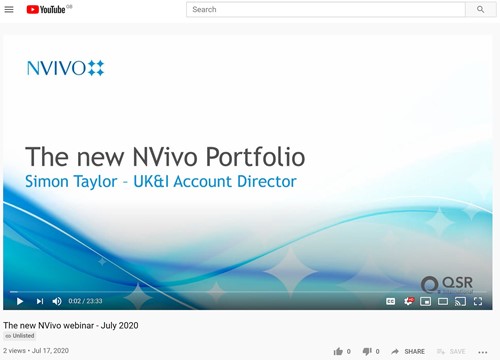
On the 17 July 2020 Lumivero ran a webinar aimed at Admins and IT folk (rather than users) looking at the new NVivo, Collaboration Cloud and Transcription. Click on the below image to watch the recording.
The license has been assigned to you using your Licence Admin email address. If you log into the MyNVivo portal using that email address and whatever password you setup for it then you can move the Collaboration subscription on to the end-user. Instructions for that can be found here: Multi-user licenses
If you don’t see the subscription showing up then if you click the little person icon in the top right of the screen then you should find that you’ve got more than one account listed in the system. Depending upon how many are set up against you click through them and find the one that’s got the Collaboration license against it and then the instructions above can be followed.
All users can try Collaboration Cloud via this link. Demos are also available on demand - contact Chest Help
The Supplier shall grant Licensees access to all product and user documentation that is normally made available to its other customers and are included in the licence fee.
Authorised Users will have access to the NVivo Education Centre.
Support (Help Desk) is available Monday to Friday from 6am to 5pm Melbourne, Australia, time. In normal circumstances response to email will be within 24 working hours.
The Supplier shall grant Licensees access to all training materials that are normally made available to its other customers and are included in the licence fee.
NVivo Collaboration Cloud is developed for use on PCs.
The Admin Contact will be provided with the necessary codes to allow the users to create their accounts. This usually takes 1-2 days.
Available to purchase until
Analyse data, discover patterns, identify themes, glean insight and draw meaningful conclusions.
Available to purchase until
Powerful automated transcription from Lumivero that gives you the freedom to focus on your analysis. Purchase as many or as few hours as you'd like, to allocate as you see fit.
Available to purchase until
All-in-one referencing and note-taking solution, designed for individuals and teams. With Citavi you can search resources from around the world, create tasks, analyze texts, save quotations and ...
Join our mailing list for the latest news, event information and resources